
Change the schedule.
Keep screens in step.
Set adhan and iqamah times, import your timetable, or use automatic calculations with local adjustments.
BUILT FOR MOSQUE TEAMS IN NEW ZEALAND
Prayer times, announcements and prayer-hall screens, all managed in one place. Keep your masjid informed without updating everything by hand.
Software is free to use. No payment details required.
ONE UPDATE.
Everyone in the loop.
MADE FOR THE WORK YOU DO EVERY DAY
Give your team one place to keep prayer information current and your congregation one clear view of what matters.
Set adhan and iqamah times, import your timetable, or use automatic calculations with local adjustments.
Schedule announcements and choose which screens or rooms receive them. Keep important notices where people can see them.
Control connected displays, review prayer information and keep your masjid profile up to date from one workspace.
MASAJIDNA SCREEN
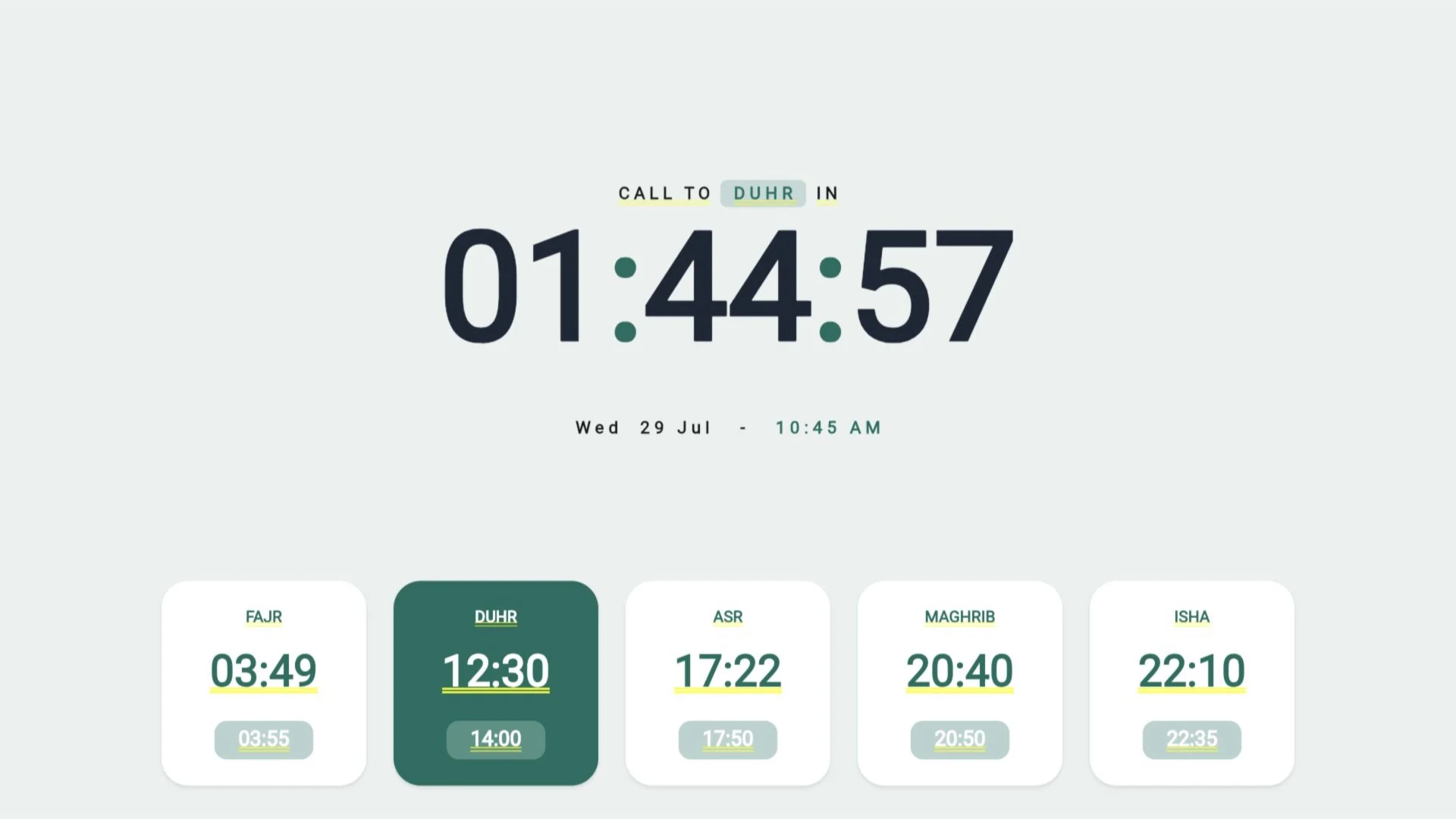
Make the next jama'ah easy to see. A clear countdown, daily prayer times and mosque-approved notices, designed to be read from across the room.
Set up your masjidOpen Screen on a supported display, then enter its temporary code in Admin.
Update the schedule and target announcements to the rooms that need them.
Keep prayer times prominent, with prayer-aware content and clear connection states.
Already have a masjid account? Open Screen on your display
MASAJIDNA ADMIN
From tomorrow's timetable to an announcement for this evening, keep your masjid's information together.
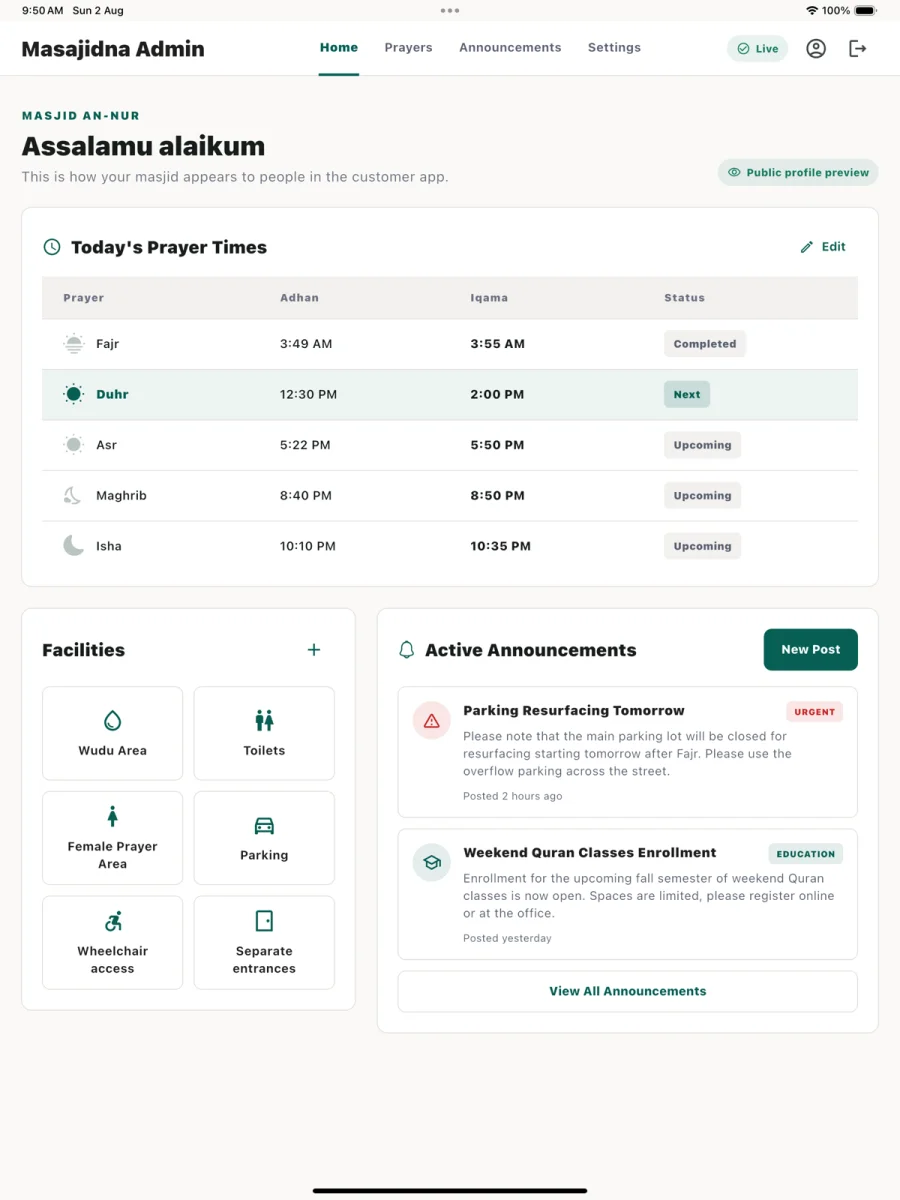
Review today's prayers and your masjid's latest information.
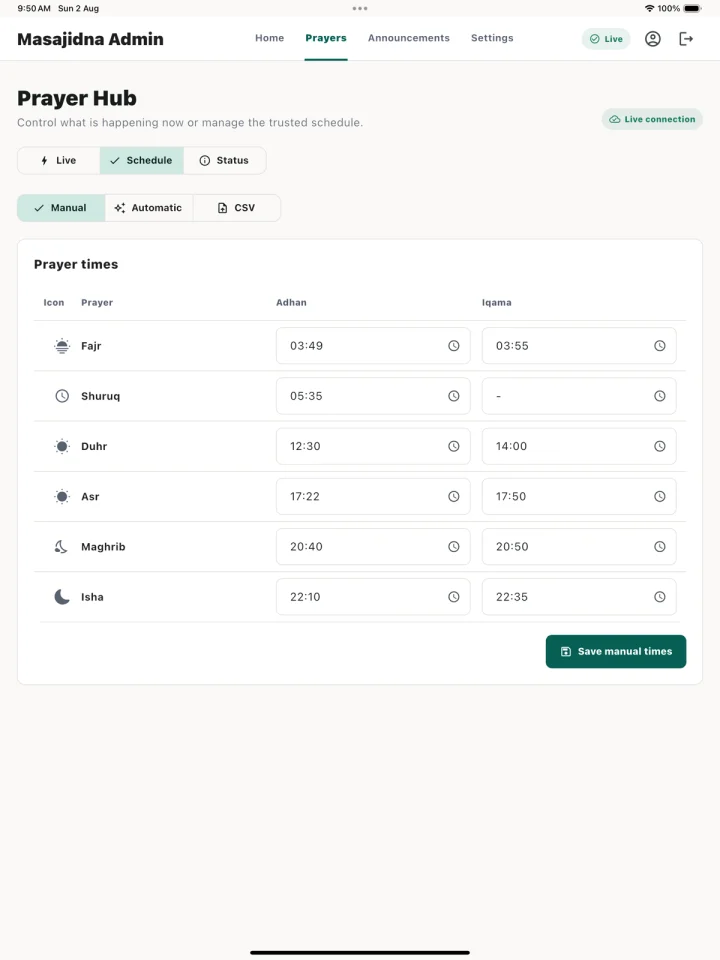
Manage prayer times with manual entry, calculations or CSV import.
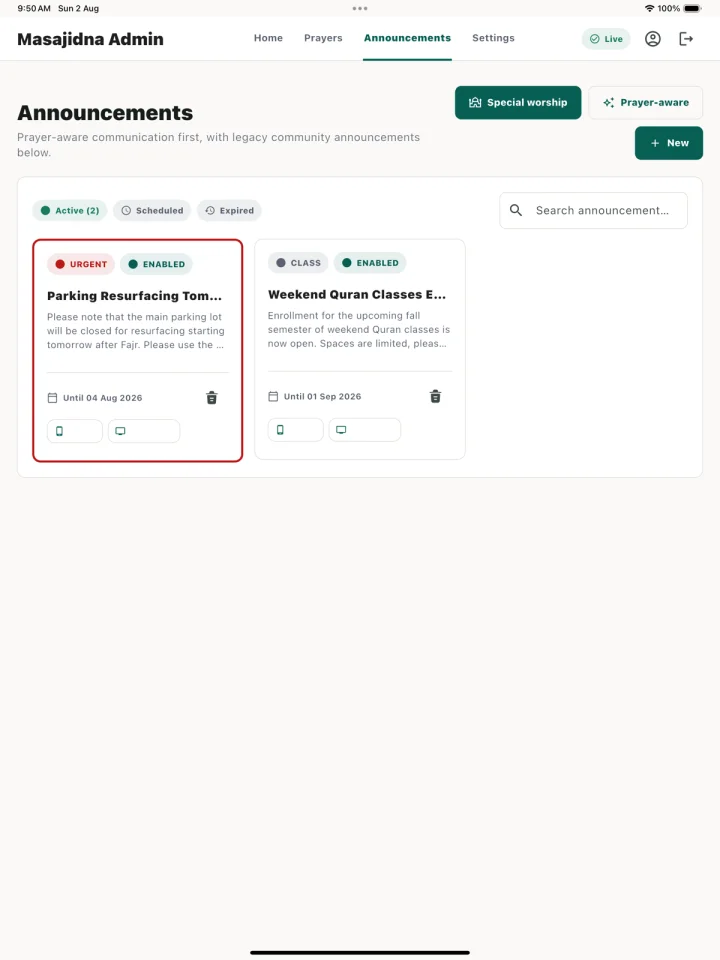
Prepare notices ahead of time and choose where they appear.
START WITH YOUR MASJID
Masajidna software is free to use. Create your administrator account and submit your masjid for review to get started.
Equipment, delivery, installation and optional support are separate. Contact us to discuss what your masjid needs.
Talk to us about your setupFree software
No software subscription. No payment details.
Applications are reviewed before masjid access is approved.
FROM SIGN-UP TO YOUR PRAYER HALL
Register online, verify your email and submit your masjid's details for review.
Once approved, set your prayer schedule, add rooms and prepare your announcements.
Open Masajidna Screen on your display and pair it from Admin using the code shown.
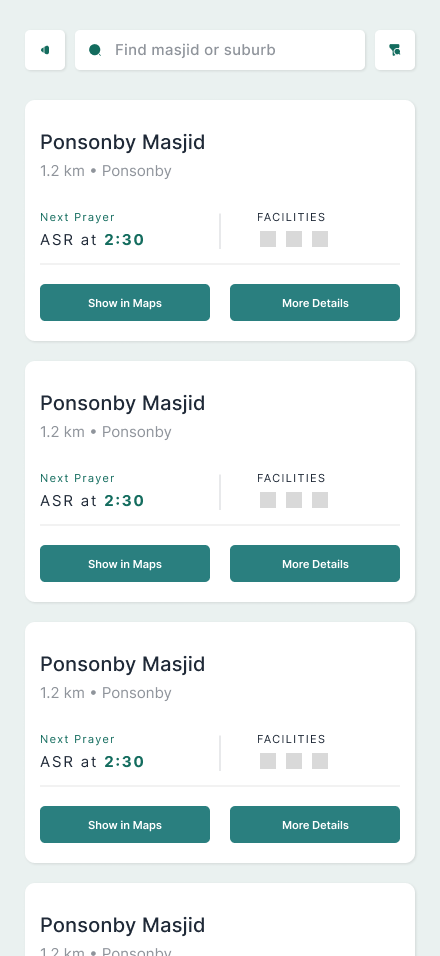
FOR YOUR CONGREGATION
The community app is being prepared for release, with nearby masjid discovery, prayer times and mosque updates. Admin and Screen are available now.
Community app · Release in preparationA FEW THINGS YOU MIGHT BE WONDERING
Have a question about your masjid's setup?
Get in touchNo. Masajidna Admin and Screen software are free to use, with no subscription or paid unlock. Equipment, installation, delivery and optional support are separate; discuss these with us before making arrangements.
Masajidna Screen supports modern browsers and an Android TV app. Compatibility depends on your device and setup. Open Screen on the device to check that it loads, or contact us for help before buying equipment.
Create an administrator account, verify your email and submit your masjid's information. The application is reviewed before access is approved. Then you can configure your schedule and pair your screens.
Yes. Enter prayer and iqamah times manually, import a CSV schedule, or use automatic calculations with local adjustments. Your mosque team controls the published schedule.
Your approved mosque administrators manage schedules and announcements. Screens are paired to your masjid with temporary codes, and content can be directed to selected rooms.
Email support@masajidna.app with your masjid's name, location and the screens you want to use. We can discuss your setup and any equipment or installation needs.
YOUR NEXT STEP
Start with one account. Bring your prayer times, updates and screens together.
Register your masjidFree software · Applications reviewed